Tag: Busy Things

Using Busy Things to develop phonological awareness skills

Using Busy Things to develop phonological awareness skills

Almost all schools now offer a literacy curriculum based on systematic synthetic phonics which most children respond really well to. But, there is a small group of pupils that don’t make the progress that we expect.

The building blocks to good phonic skills include really strong phonological awareness skills (the ability to identify and manipulate sounds in spoken language e.g. syllables, rhyme etc.) and phoneme awareness  (manipulating individual sounds).  Research shows that the majority of pupils that go on to struggle with spelling, reading and writing have a relative difficulty with their phoneme awareness and other phonological skills.  This group need extra time and attention.

Early Years settings are brilliant at developing phonological awareness skills, but as children move up into Key Stage 1 and beyond, it becomes harder for class teachers to find time to spend time on this.

One useful resource, available to all schools with access to the London Grid for Learning is Busy Things.  We found their phonic games very helpful when supporting children during lockdown, as they develop phonological awareness as well as phonics.

They updated a lot of the materials in May 2021.  We like the way you can customize the games to concentrate on specific grapheme phoneme correspondences.

Games

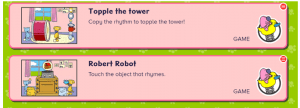
Our pupils loved the games. There are games to support rhyming skills such as Topple the Tower and Robert Robot:
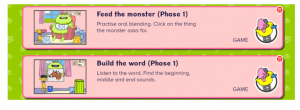
As well as games like Feed the Monster and Build the Word which focus on oral blending and segmenting:
The software allows you to choose which scheme you want to follow, as well as your regional accent preference (north or south of England):

Once pupils are confident at using the games online, you can also produce pdf’s of specific patterns to reinforce areas that they are working on. This was useful to set as targeted homework.

Busy things does not replace the work we need to do to help strengthen phonological awareness skills but it is a really useful tool. Children can independently use the game on laptops during class reading time or other pockets of the school day.

Teachers can set up class profiles and monitor how their pupils are doing.

For more information, there are youtube videos on how to get started, as well as tutorials online. Alternatively, do contact us for more information. While not experts,  we are  happy to share what we have learnt!

Tower Hamlets Language, Literacy and Communication Team

September 2021


First steps in programming

Students from Langdon Park and Mulberry Schools are starting a ten week course in computer programming. To get started we thought about sequences and putting things in a logical, regular order that is always the same. Like you have to do in Line Up from Busythings. The Langdon Park group picked this up very quickly and took it in turns to put in the correct answer. The problems got harder using more colours and shapes, and changing the spaces that needed to be filled.

line up

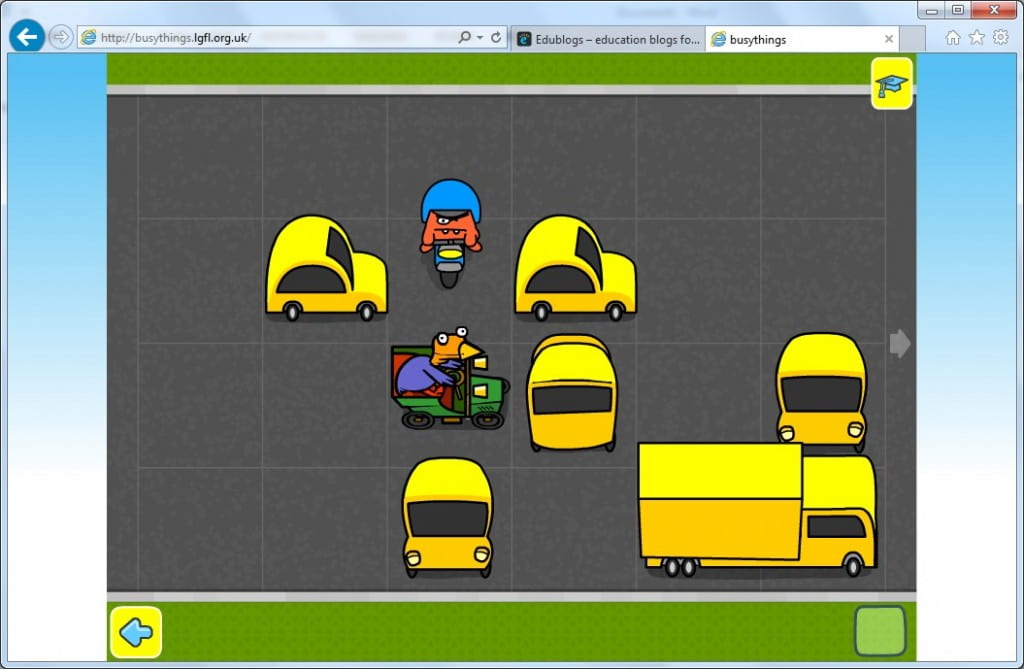
Once they had that cracked we moved on to an activity needing logical thinking. In Block-a-doodle-doo you have to move vehicles out of the path of the chicken in the green car who is the worst driver ever, carrying on in a straight line, banging into things, and expecting everyone to get out of the way. If the monster on the motorbike catches the chicken he eats him.

Block a doodle doo

We talked about sequences in everyday life, things we do regularly without even realising we are following the same set of actions every time, like when we cross the road.

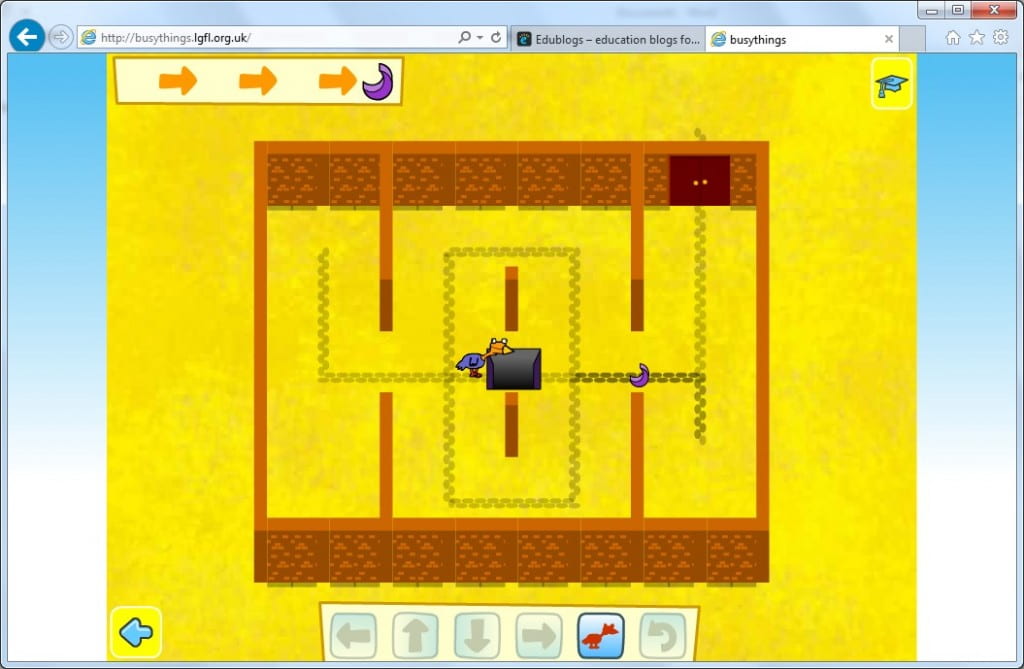
We went on to program a chicken to move through a maze picking up jewels on the way and avoiding monsters in Path Peril. This got harder and harder until there were five jewels and three monsters and no way to avoid them except by timing your moves right. It brought lots of laughs as the chicken got grabbed, gobbled and blown up.

Path peril

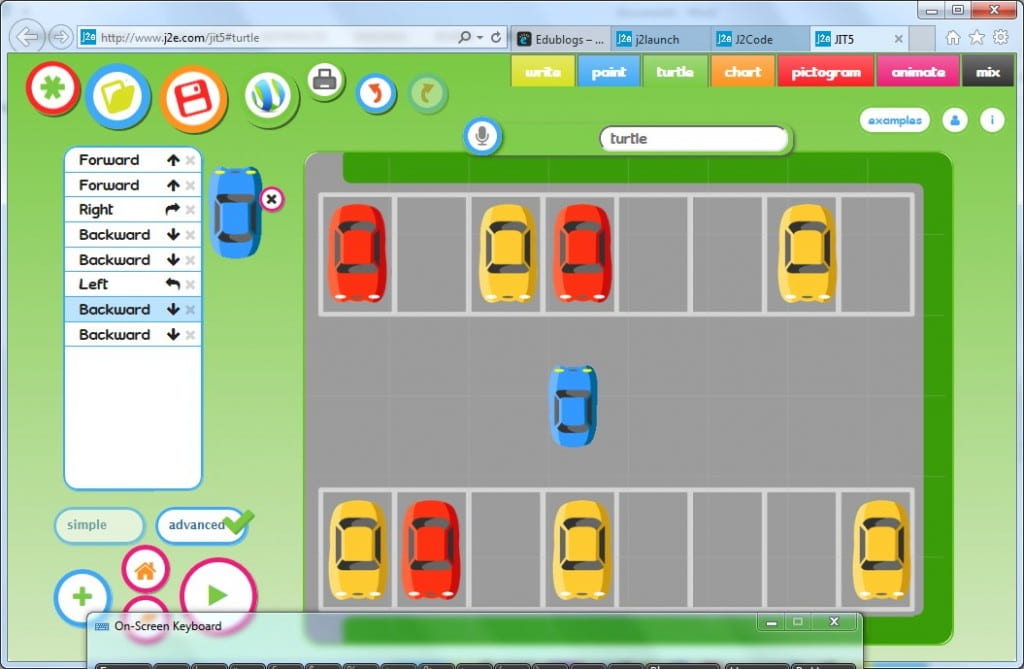
For the final activity we use J2Code and found the parking problem. Here a sequence of instructions is coded into a program to move a car from one parking bay to another. We watched as each line of code was run through then added and deleted lines to debug. We left the car park with several damaged cars!

j2eturtleparking


In our second session a week later we transformed one of our teachers into a Human Robot who only understood clear instructions: “Forward (x)” “Backward (x)” and “Turn right”, “Turn left” where X is the number of steps we wanted the robot to take. We had fun making the robot travel round the room and then describe some shapes.

Then we programmed the Mole to get the worm in the TES iboard activity Mole Maze  We made it move one step at a time, then made a list of all the instructions before pressing Go.  Remembering right and left was a bit tricky for some, especially when the Mole was facing downwards. We spent a very little bit of time remembering why we had to put “90” for a right angle, “180” for a half turn etc.

mole maze This activity comes with three levels and we all started on the easy level first.

We logged onto Purple Mash and used 2Go to programme some letters and other shapes. jack


Subscribe By Email

This form is protected by reCAPTCHA and the Google Privacy Policy and Terms of Service apply.

Skip to toolbar